
If you work from a desk all day, small tech upgrades can make a big difference. You don’t need to spend a lot of money to make your workspace better. In this guide, we share the best desk tech gadgets under ₹2000 that can help you work faster, stay organized, and feel more comfortable at your desk.
We picked these gadgets based on real user reviews, ratings, and how useful they are for daily work. Our team regularly tests and researches desk setups for home and office use, and this list reflects products that consistently show up as reliable choices across thousands of verified buyer reviews. Whether you work from home or in an office, these products are simple, affordable, and easy to use.
Table of Contents
ToggleWhy Best Desk Tech Gadgets Matter
A cluttered or uncomfortable desk can slow you down more than you realize. Cables everywhere, a dim room, a slow mouse, or a laptop screen that’s too low — these small problems add up during a long work day. Over weeks and months, they can lead to eye strain, neck pain, and lost focus.
The good news is that most of these problems have simple, low-cost fixes. You don’t need a ₹50,000 setup to work comfortably and efficiently. A few smart best desk tech gadgets, each under ₹2000, can solve almost every common desk problem. That’s exactly what this list covers.
We’ve organized this guide so you can quickly find best desk tech gadgets that match your biggest pain point, whether that’s a messy desk, poor posture, or slow work speed.
Wireless Mouse
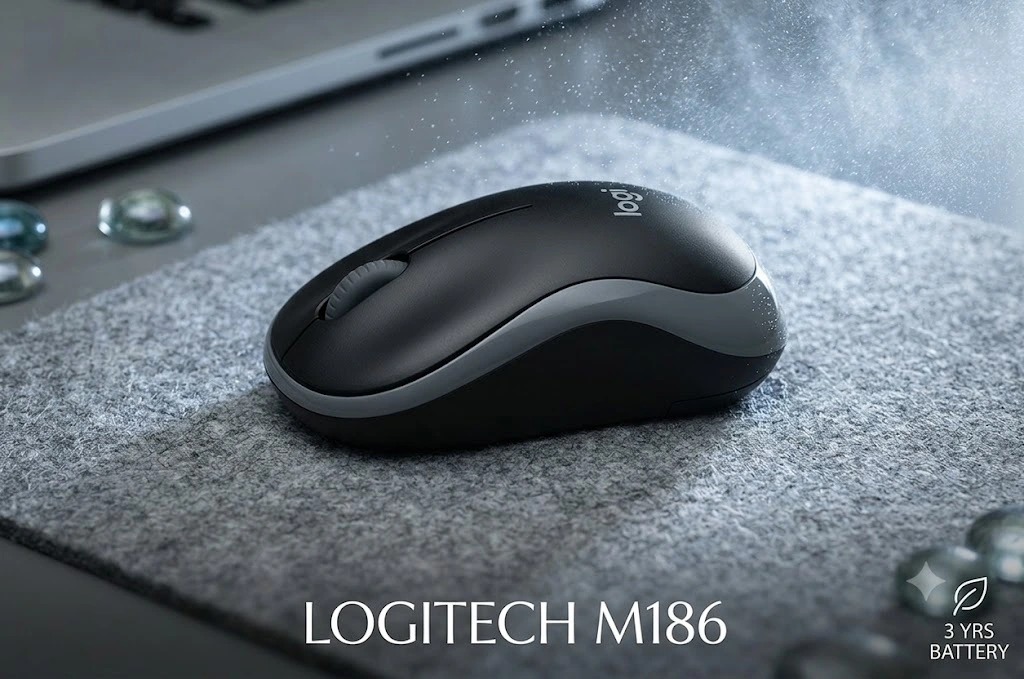
A good wireless mouse removes cable clutter and gives you more freedom to move your hand naturally. Look for one with a comfortable grip, adjustable DPI (sensitivity) settings, and long battery life. Many budget wireless mice under ₹2000 offer smooth tracking and quiet clicks, which is great for shared office spaces or late-night work when you don’t want to disturb others.
When choosing a wireless mouse, check whether it uses a USB receiver or Bluetooth. USB receiver mice tend to have a more stable connection, while Bluetooth mice save a USB port, which is useful if your laptop has limited ports. Also look at battery type — rechargeable mice are more convenient long-term, while battery-powered ones are easier to replace on the go.
Good for: Anyone who spends hours clicking and scrolling daily, including students, writers, and office workers.
LED Desk Lamp with Adjustable Brightness
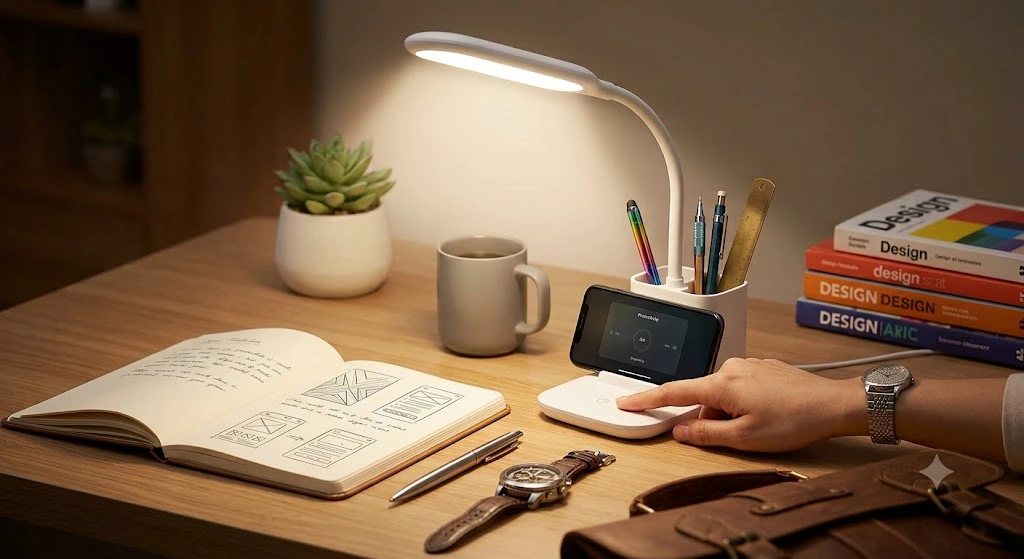
Good lighting reduces eye strain, especially during late work hours or video calls. An LED lamp with adjustable brightness levels lets you set the right light for reading, typing, or video meetings. Many models also come with USB charging ports built in, so you can charge your phone while you work.
Look for lamps with multiple color temperature settings — warm light is easier on the eyes at night, while cooler, brighter light helps with focus during the day. Foldable or flexible-arm lamps are a good choice if your desk space is small, since you can angle the light exactly where you need it.
Good for: People who work in the evening, in rooms with poor natural light, or who spend a lot of time on video calls.
Cable Organizer Box

If your desk has wires everywhere, a simple cable organizer box can fix that instantly. It hides all your charging cables, power strips, and adapters in one neat box, keeping your desk clean and safe from tangled wires. This isn’t just about looks — tangled cables are also a tripping hazard and can be harder to clean around.
Cable organizer boxes are usually made of fire-resistant plastic and have small openings on the sides for cables to pass through. Some also come with cable clips or Velcro straps to keep individual cables separated and labeled, which is helpful if you have many devices plugged in at once.
Good for: Anyone with multiple devices, chargers, and adapters cluttering their desk or floor space.
USB Hub / Multiport Adapter

Most modern laptops have limited ports, especially newer slim models that only offer one or two USB-C ports. A USB hub lets you connect your mouse, keyboard, pen drive, external hard drive, and other devices at the same time without constantly plugging and unplugging.
Choose one with at least 4 ports for better value, and check if you need USB-A, USB-C, HDMI, or SD card slots depending on your devices. Some hubs also include an Ethernet port, which is useful if your Wi-Fi connection is unreliable and you need a stable wired internet connection for work calls.
Good for: Laptop users, especially those with slim laptops, who need to connect multiple devices at once.
Laptop Stand (Adjustable)

Sitting with your laptop flat on the desk can hurt your neck and shoulders over time, since you’re constantly looking down at the screen. A laptop stand raises your screen to eye level, which improves posture and reduces neck strain. This is one of the simplest, most effective ergonomic upgrades you can make.
Foldable stands under ₹2000 are lightweight, adjustable to different heights and angles, and easy to carry if you travel or work from different locations. Look for stands with good ventilation gaps, as raising your laptop also helps it stay cooler during long work sessions.
Good for: People who work long hours on a laptop, especially those who already experience neck or back discomfort.
Wireless Charging Pad
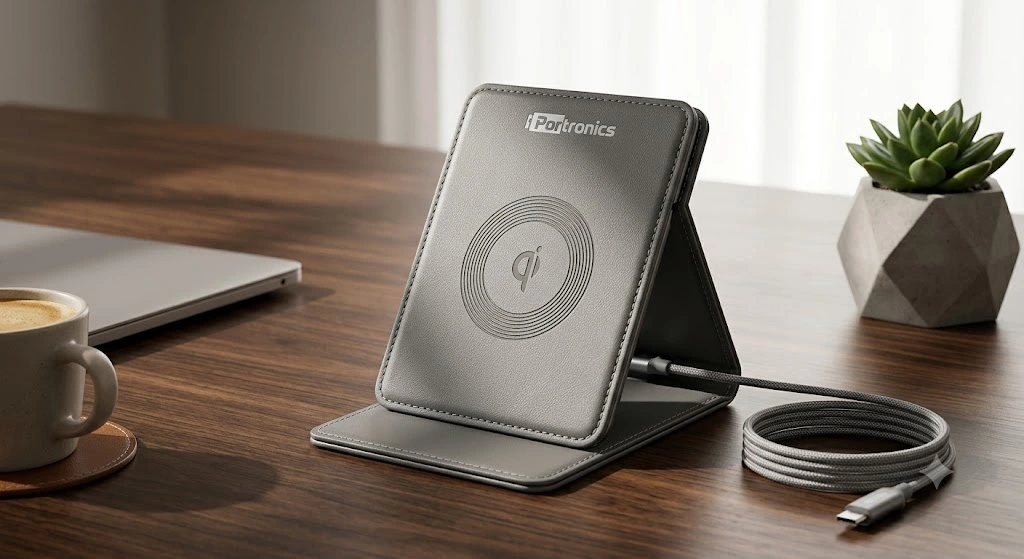
Instead of plugging and unplugging your phone charger every time, a wireless charging pad lets you just place your phone down to charge. It keeps your desk tidy, reduces cable clutter, and saves time throughout the day, especially if you frequently pick up and put down your phone during work.
When buying a wireless charging pad, check the charging speed (measured in watts) and make sure it matches your phone’s supported charging speed. Also look for pads with a non-slip surface and an LED indicator, so you know at a glance whether your phone is charging properly.
Good for: Anyone who keeps their phone nearby while working and wants a clutter-free charging setup.
Bluetooth Keyboard

A slim Bluetooth keyboard can replace a bulky wired one and works with laptops, tablets, and phones, often letting you switch between multiple devices with the press of a button. Many affordable options offer a comfortable typing feel, quiet keys, and long battery backup, sometimes lasting several months on a single charge.
Compact or foldable Bluetooth keyboards are a great option if you want a minimal desk setup or need something portable for working outside your home. Make sure the keyboard layout matches your preference, since some budget models skip certain keys to save space.
Good for: People who want a clean, wire-free desk setup or who switch between multiple devices throughout the day.
Laptop Cooling Pad

If your laptop heats up during long work sessions, video calls, or multitasking, a small USB-powered cooling pad can help keep the temperature down. Overheating can slow down your laptop’s performance and shorten its lifespan over time, so a cooling pad is a smart, low-cost way to protect your device.
Look for cooling pads with adjustable height settings and quiet fans, since some cheaper models can be noisy. A cooling pad also works well together with a laptop stand, giving you both better posture and better airflow at the same time.
Good for: Laptop users doing heavy tasks like video editing, coding, video calls, or multitasking with many browser tabs open.
How to Choose the Right Gadget for You
With so many best desk tech gadgets options available, it helps to have a simple approach when deciding what to buy first:
- Check your daily pain point — is it cable mess, poor lighting, an uncomfortable posture, or a slow, uncomfortable mouse? Start with whatever bothers you the most every single day.
- Read recent reviews — ratings and comments tell you about real-world durability and common issues, which product photos and descriptions often don’t show.
- Compare battery life — for wireless gadgets like mice, keyboards, and speakers, longer battery life means fewer interruptions and less hassle recharging.
- Stick to trusted brands — even in a budget range, brand reliability matters for build quality and after-sales support if something goes wrong.
- Think about your workspace size — if your desk is small, prioritize compact or foldable gadgets like a slim keyboard or foldable laptop stand.
- Avoid buying everything at once — start with one or two gadgets that solve your biggest problem, then expand your setup gradually as you notice what else you need.
Frequently Asked Questions: Best Desk Tech Gadgets
Are budget best desk tech gadgets under ₹2000 actually good quality?
Yes, many budget best desk tech gadgets from trusted brands offer solid quality and reliability. The key is checking reviews and ratings before buying, rather than judging purely by price. A well-reviewed ₹1500 product often performs better in daily use than an unreviewed ₹3000 one.
Which gadget should I buy first if I'm on a tight budget?
A laptop stand or wireless mouse is usually the best starting point. Both directly improve comfort and daily efficiency at a low cost, and the benefits are noticeable from the very first day of use.
Do these gadgets work with both Windows and Mac laptops?
Most gadgets listed here, like USB hubs, mice, and keyboards, are compatible with both Windows and Mac systems. Always check the product description for compatibility, especially for USB hubs, since some are designed specifically for USB-C laptops.
Can these gadgets help with neck and back pain from desk work?
Yes. A laptop stand paired with a wireless keyboard and mouse can significantly improve your posture, since it lets you position your screen at eye level instead of looking down for hours. This simple combination is one of the most recommended ergonomic upgrades for desk workers.
How do I know if a wireless charging pad works with my phone?
Check if your phone supports Qi wireless charging, which is the standard technology used in most wireless charging pads. Most phones released after 2018 support this feature, but it’s always good to double-check your specific phone model before buying.
Is it worth buying a laptop cooling pad if my laptop doesn't feel too hot?
Even if your laptop doesn’t feel noticeably hot, internal components can still run warmer than ideal during long work sessions, which affects performance over time. A cooling pad is a low-cost way to prevent long-term wear, especially if you use your laptop for many hours daily.
Can I use multiple gadgets from this list together?
Yes, many of these gadgets work well as a combination. For example, a laptop stand, Bluetooth keyboard, and wireless mouse together create a much more comfortable and efficient setup than using a laptop alone, often called a “mini ergonomic setup.”